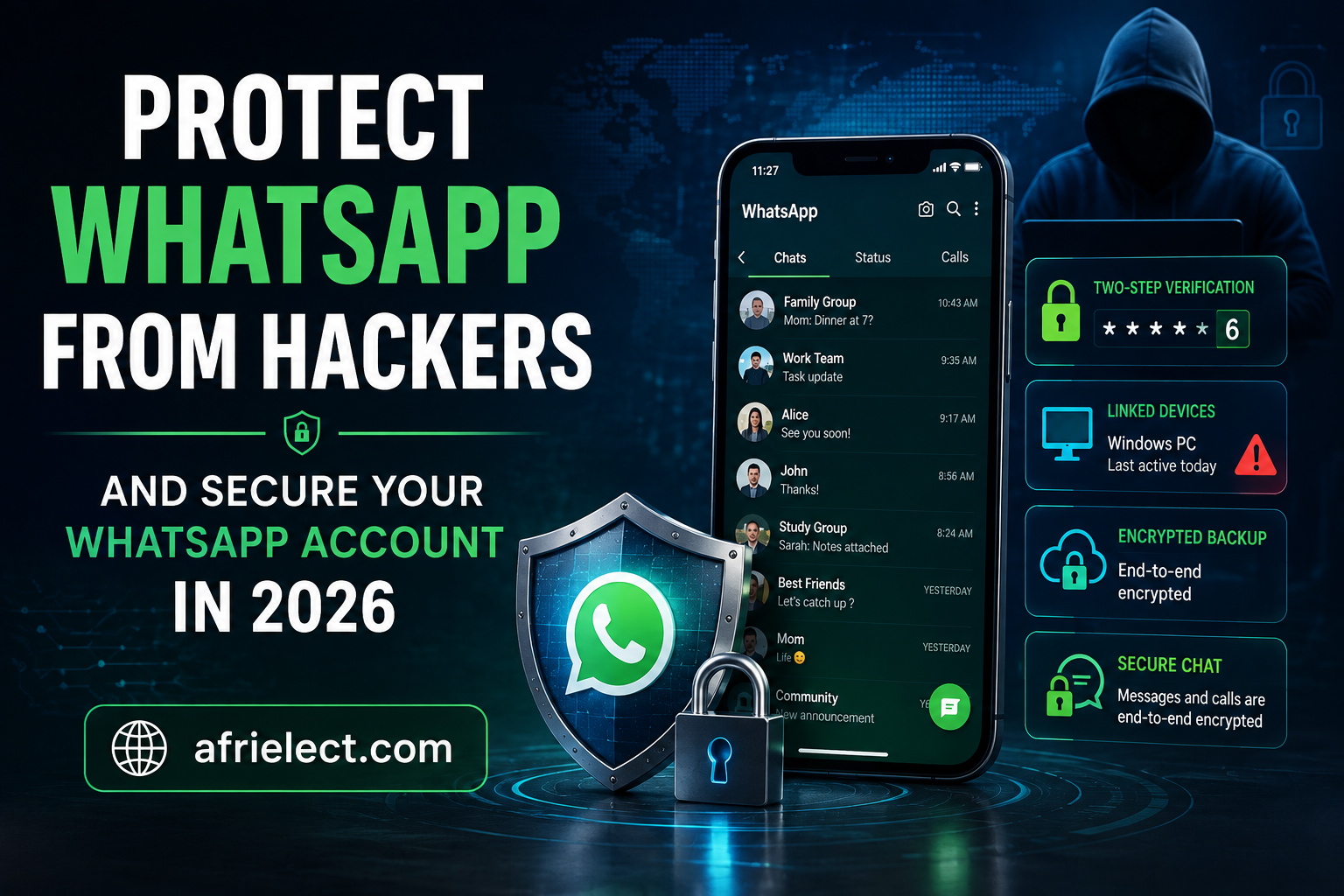
WhatsApp has become much more than a messaging app. People use it to communicate with family and friends, run businesses, receive important documents, share personal photos, manage work conversations, and sometimes even discuss sensitive financial information.
That makes a WhatsApp account an attractive target for scammers and cybercriminals.
The good news is that protecting your account does not require advanced technical knowledge. A few security settings, combined with good habits, can significantly reduce the chances of someone taking over your account.
WhatsApp already provides end-to-end encryption for personal messages and calls by default. However, encryption does not mean that your account can never be compromised. Attackers may instead try to trick you into giving them a verification code, linking their device to your account, accessing an unsecured phone, or convincing you to click a malicious link.
WhatsApp has continued adding additional protections in 2026. These include warnings for suspicious device-linking attempts and Strict Account Settings, a more restrictive security mode designed to provide additional protection against sophisticated cyberattacks.
So, how can you protect WhatsApp from hackers in 2026?
Let’s look at the most important steps.
—
Can Someone Really Hack Your WhatsApp Account?
Yes, but the phrase “hack WhatsApp” can be misleading.
In many cases, attackers do not break WhatsApp’s encryption. Instead, they target the person using the account.
For example, a scammer might contact you and pretend to be:
* A WhatsApp support representative
* A friend or family member
* A business
* A delivery company
* A bank or financial service
* An employer
* Someone offering a job
* Someone asking you to vote in a competition.
* Someone claiming that your account has a problem
The attacker may then ask you to share a WhatsApp verification code or scan a QR code.
If you provide the information or approve a malicious device-linking request, the attacker may gain access to your account or link another device.
This is why cybersecurity experts often describe these attacks as social engineering rather than simply “WhatsApp hacking.”
In March 2026, Meta specifically warned about scams where criminals attempt to trick users into linking their WhatsApp account to an attacker’s device. WhatsApp introduced warnings designed to alert users when a device-linking request appears suspicious.
—
1. Enable WhatsApp Two-Step Verification
One of the most important things you can do to protect your WhatsApp account is to enable two-step verification.
Two-step verification adds another layer of protection to your account. Instead of relying only on SMS or phone verification, WhatsApp can require a PIN when your phone number is registered with WhatsApp again.
To find the setting, open WhatsApp and look for:
Settings → Account → Two-step verification
You can then enable the feature and create a PIN.
Choose a PIN that is difficult for another person to guess.
Avoid using:
* Your birthday
* Your birth year
* 123456
* 000000
* Your phone number
* A PIN you commonly use elsewhere
If WhatsApp offers the option to add an email address for account recovery, make sure the email account itself is protected with a strong password and additional security measures.
Never share your WhatsApp verification code.
Your verification code is private.
If someone messages you and says:
“Send me the code you just received.”
Do not send it.
It doesn’t matter whether the person claims to be a friend, WhatsApp employee, business representative, or someone helping you fix an account problem.
Treat your verification code as confidential.
—
2. Never Share Your WhatsApp Registration Code
This deserves its own section because it is one of the simplest ways criminals attempt to take over accounts.
When you register your WhatsApp phone number, WhatsApp sends a verification code.
A scammer may already know your phone number and then attempt to register it on another device.
The scammer needs the verification code to complete the process.
Instead of trying to steal the code directly, they may manipulate you into giving it to them.
For example:
Scammer: “Hi, I accidentally entered your number while registering my WhatsApp. Please send me the six-digit code you received.”
The message may look harmless.
It isn’t.
If you receive a WhatsApp verification code that you did not request, do not share it with anyone.
—
3. Check Your WhatsApp Linked Devices Regularly
WhatsApp allows you to use your account across multiple devices.
This is convenient when you use WhatsApp Web, a computer, tablet, or another supported device.
However, linked devices also deserve attention.
If someone gains access to your phone and links their computer or another device to your WhatsApp account, they may potentially continue accessing WhatsApp through that linked device.
That’s why you should periodically review your linked devices.
Open WhatsApp and go to:
Settings → Linked Devices
Review the devices shown there.
If you see a device, browser, or computer that you don’t recognize, remove it.
A device you don’t recognize should not remain connected.
Don’t assume an unfamiliar device is harmless.
If you cannot confidently identify it, disconnect it and then review your other security settings.
WhatsApp’s 2026 anti-scam measures specifically address malicious device linking. Meta said scammers may try to trick people into entering their phone number and then sharing a device-linking code or scanning a QR code under false pretenses.
—
4. Be Careful When Scanning WhatsApp QR Codes
QR codes are convenient, but they can also be abused in scams.
You might receive a message telling you:
“Scan this QR code to verify your account.”
Or:
“Scan this code to vote.”
Or:
“Scan this QR code to receive your prize.”
The problem is that you may not know what action the QR code is actually authorizing.
Before scanning a WhatsApp-related QR code, understand exactly what it is supposed to do.
If you are linking WhatsApp Web on your own computer, open the official WhatsApp Web experience yourself rather than following a random link someone sent you.
Be especially suspicious if somebody pressures you to scan a QR code immediately.
Urgency is a common social-engineering technique.
—
5. Don’t Click Suspicious WhatsApp Links
A WhatsApp message containing a link isn’t automatically dangerous.
However, you should be cautious when the message:
* Comes from an unknown number
* Promises free money
* Claims you won a prize
* Offers an unbelievable discount
* Threatens that your account will be closed
* Asks you to “verify” your account
* Requests your login information
* Contains a suspicious website address
* Creates a sense of urgency
* Claims to offer a job that sounds too good to be true
Cybercriminals often use phishing websites that imitate legitimate services.
For example, a scammer could send:
“Your WhatsApp account will be suspended today. Verify your account immediately.”
The message may include a link to a fake website.
Instead of clicking it, open WhatsApp yourself and check your account.
The same principle applies to messages supposedly coming from banks, delivery services, social networks, or other companies.
—
6. Keep WhatsApp Updated
Keeping WhatsApp updated is one of the easiest security habits you can develop.
Software updates can contain:
* Security fixes
* Bug fixes
* Privacy improvements
* Performance improvements
* New security protections
The same applies to your phone’s operating system.
Don’t only update WhatsApp while ignoring Android or iOS updates.
Your phone is part of your WhatsApp security environment.
If your device is running an outdated operating system with known vulnerabilities, keeping the WhatsApp app updated alone may not be enough.
Enable automatic updates
Automatic app and operating-system updates can reduce the possibility that you continue running an outdated version for months.
If you use WhatsApp for business or handle sensitive conversations, keeping the entire device ecosystem updated becomes even more important.
—
7. Protect Your Phone With a Strong Screen Lock
Your WhatsApp account is only as secure as the device that contains it.
If someone can easily unlock your phone, they may be able to access WhatsApp, read conversations, view photos, inspect notifications, or change account settings.
Use a strong device lock such as:
* A strong PIN
* Password
* Fingerprint authentication
* Face authentication, where appropriate
Avoid simple patterns or PINs that people around you can easily guess.
Also be careful about leaving your phone unlocked on desks, in public places, at work, or around people you don’t completely trust.
—
8. Use WhatsApp’s App Lock Feature
Depending on your device and WhatsApp version, you may be able to add an additional lock to WhatsApp itself.
This provides another layer of protection if someone gets access to your unlocked phone.
Look in WhatsApp’s privacy settings for App Lock or the relevant device-authentication option.
If available, configure it according to your preference.
This can be especially useful if you frequently hand your phone to other people.
—
9. Secure Your WhatsApp Chat Backups
Many users focus on protecting their WhatsApp messages while forgetting about backups.
Your WhatsApp conversations may contain information that you don’t want unauthorized people to access.
WhatsApp provides end-to-end encrypted backups, adding protection to stored chat backups.
In 2025, Meta announced that WhatsApp was making encrypted backups easier to use through passkeys. Passkeys can allow users to secure encrypted backups using methods such as a fingerprint, face recognition, or their device screen-lock credential instead of remembering a separate password or 64-digit encryption key.
To check your backup security settings, open:
WhatsApp → Settings → Chats → Chat backup → End-to-end encrypted backup
The exact options available may vary depending on your WhatsApp version, device, and rollout status.
Why encrypted backups matter
End-to-end encryption protects WhatsApp messages while they are being transmitted, but backups have their own security considerations.
If your backup is not protected appropriately, someone who gains unauthorized access to the backup environment or associated account could potentially pose a different privacy risk.
For important conversations, take time to review your backup settings instead of assuming they are automatically configured exactly as you want.
—
10. Don’t Install Modified or Unofficial WhatsApp Apps
Avoid downloading WhatsApp from suspicious websites.
You may come across modified WhatsApp applications promising features such as:
* Extra privacy
* Hidden online status
* Unlimited themes
* Deleted-message recovery
* Free premium features
* Additional customization
Some unofficial apps may contain malicious software or expose your information.
Download WhatsApp from legitimate app stores or official sources.
The promise of extra features isn’t worth putting your account, messages, contacts, or device at risk.
—
11. Review Your WhatsApp Privacy Settings
Security and privacy are closely connected.
Open WhatsApp’s privacy settings and review who can see information such as:
* Your profile photo
* About information
* Last seen
* Online status
* Status updates
* Groups
* Calls
* Live location
You don’t necessarily need to make everything completely private.
Instead, choose settings that match your situation.
For example, if you don’t want unknown people adding you to random groups, review your group privacy settings.
If you don’t want calls from unknown numbers disturbing you, consider WhatsApp’s Silence Unknown Callers feature if it is available on your version of the app.
—
12. Consider WhatsApp’s Strict Account Settings
In January 2026, WhatsApp announced Strict Account Settings, a new lockdown-style security feature intended primarily for people who may face rare and highly sophisticated cyberattacks.
Meta says the setting can apply more restrictive protections, including automatically blocking attachments and media from unknown senders, silencing calls from people users don’t know, and restricting other settings.
You Can Locate This Feature Under:
WhatsApp → Settings → Privacy → Advanced → Strict Account Settings
Availability may depend on rollout and region.
Who should consider Strict Account Settings?
It may be particularly useful for people who are more likely to be targeted, such as:
* Journalists
* Public figures
* Human-rights workers
* Researchers
* Activists
* Business executives
* People handling highly sensitive information
For ordinary users, the standard security controls may be sufficient.
However, if you believe you could be the target of a sophisticated cyberattack, stronger restrictions may be worth considering.
—
13. Be Careful With Messages From Unknown People
Not every unknown WhatsApp message is a hacking attempt.
But unexpected messages deserve caution.
A stranger may start with a harmless-looking conversation before attempting to:
1. Build trust.
2. Ask personal questions.
3. Send a link.
4. Ask you to move to another platform.
5. Request a verification code.
6. Ask you to scan a QR code.
7. Request money or cryptocurrency.
8. Convince you to install software.
This is why cybersecurity is not only about technology.
Your judgment is one of your strongest security tools.
If a conversation feels unusual, you don’t have to continue it.
Block and report suspicious accounts when appropriate.
—
14. Don’t Trust a Message Just Because It Comes From a Friend
This is an important point.
If a friend’s WhatsApp account has been compromised, an attacker may use that account to contact the person’s friends.
You might receive a message such as:
“Can you send me some money?”
or:
“Please help me with this verification.”
Because the message appears to come from someone you know, you may automatically trust it.
If the request is unusual, verify it through another communication method.
Call the person directly.
Send an SMS.
Contact them through another trusted platform.
A familiar WhatsApp profile does not automatically mean that the person controlling the account is your friend.
—
15. Be Wary of Fake WhatsApp Support
Scammers sometimes impersonate customer-support representatives.
They may claim:
* Your account has been reported.
* Your account is about to be suspended.
* Someone has hacked your account.
* You need to verify your identity.
* You need to provide a security code.
* You need to pay a fee to restore your account.
Don’t automatically trust these claims.
Never give your WhatsApp verification code or two-step verification PIN to someone simply because they claim to be support staff.
When you need help, use WhatsApp’s legitimate support channels rather than relying on a stranger who contacts you first.
—
16. Consider WhatsApp Usernames When Available
WhatsApp announced in June 2026 that it was introducing usernames as another privacy-focused feature.
The idea is simple: users can eventually connect with people without necessarily exposing their phone number to new contacts.
WhatsApp said users could begin reserving usernames ahead of the feature’s broader launch, with availability rolling out gradually.
For people who frequently communicate with strangers, customers, communities, or new contacts, usernames could provide an additional privacy benefit.
However, don’t assume the feature is available to every WhatsApp user yet.
Check your WhatsApp settings for the feature when it becomes available to your account.
—
17. Don’t Give Apps Unnecessary Access to Your Phone
Your WhatsApp security can be affected by other apps installed on your device.
Be cautious when an application asks for permissions that don’t make sense for its purpose.
Review permissions for suspicious or unfamiliar apps, particularly apps that request broad access to:
* Accessibility features
* Notifications
* SMS
* Contacts
* Files
* Microphone
* Camera
You don’t necessarily need to panic every time an app requests a permission.
Instead, ask a simple question:
“Does this app genuinely need this access to perform its main function?”
If the answer is no, don’t grant it unnecessarily.
—
How to Know if Someone Has Access to Your WhatsApp Account
There isn’t always an obvious notification saying “your WhatsApp has been hacked.”
However, certain warning signs deserve attention.
You should investigate if:
* You notice an unfamiliar linked device.
* Messages appear to have been sent without your knowledge.
* Someone tells you they received strange messages from your account.
* You receive an unexpected WhatsApp verification code.
* Your account suddenly logs out.
* Your WhatsApp settings change unexpectedly.
* Someone claims they received suspicious messages from you.
* Your contacts receive unusual requests for money.
* You notice activity you cannot explain.
One warning sign doesn’t automatically prove that your account has been hacked, but don’t ignore any notification; try to make sure your account is still safe.
—
What to Do if Your WhatsApp Account Has Been Hacked
If you believe someone has gained access to your WhatsApp account, act quickly.
Step 1: Try to regain control
Open WhatsApp and register your phone number again using the legitimate WhatsApp application.
You may be asked to enter the verification code sent to your phone number.
Do not share this code with anyone.
Step 2: Check linked devices
Once you regain access, immediately review:
Settings → Linked Devices
Remove devices you don’t recognize.
Step 3: Enable two-step verification
If you haven’t already enabled this, try to enable two-step verification and create a strong PIN.
Step 4: Secure your email account
If your WhatsApp account uses an email address for recovery or security purposes, make sure that email account is secure.
Change the password if necessary and enable stronger authentication where available.
Step 5: Contact your mobile network provider if necessary
If you suddenly lose access to your phone number or suspect SIM-related fraud, contact your mobile carrier immediately.
A compromised phone number can create problems beyond WhatsApp.
Step 6: Warn your contacts
If your account has been compromised, inform your close friends or people in your phone contact list so that they will ignore suspicious messages sent from your account.
This can prevent the attacker from using your compromised account to scam your friends or family.
Can WhatsApp Encryption Be Hacked?
WhatsApp uses end-to-end encryption for personal messages and calls by default.
This means the contents of those communications are designed to be protected so that they can only be accessed by the intended participants and their devices.
However, end-to-end encryption is not a magic shield around your entire phone or account.
An attacker doesn’t necessarily need to break WhatsApp’s encryption.
They may instead target:
* Your phone
* Your SIM or phone number
* Your email account
* Your verification code
* Your WhatsApp PIN
* Your linked devices
* Your chat backups
* Your browser
* Your operating system
* Your behavior
This distinction is extremely important.
You can have strong encryption and still lose control of an account through social engineering.
What About Spyware?
Spyware represents a different and much more sophisticated threat.
Rather than simply tricking someone into sharing a verification code, sophisticated attackers may attempt to compromise the device itself.
WhatsApp has continued investing in defenses against spyware.
In June 2026, Meta said WhatsApp had disrupted spear-phishing attempts linked to NSO, a surveillance technology company, and reiterated that users should keep their WhatsApp apps and devices updated. Meta also recommended Strict Account Settings for people who believe sophisticated cyberattacks may target them.
For most WhatsApp users, the practical lessons remain straightforward:
Keep your phone updated. Keep WhatsApp updated. Don’t click suspicious links. Don’t share verification codes. Review linked devices. Use two-step verification.
10-Minute WhatsApp Security Checkup
You don’t have to spend an entire afternoon securing WhatsApp.
Set aside around 10 minutes and check these items:
Account security
* Is two-step verification enabled?
* Is your verification code private?
* Is your recovery email secure?
Linked devices
* Do you recognize every linked device?
* Have you removed old computers and browsers?
Privacy
* Who can see your profile information?
* Who can add you to groups?
* Are you comfortable with your call and status privacy settings?
Backups
* Is end-to-end encrypted backup available to you?
* Have you configured it?
Device security
* Does your phone have a strong screen lock?
* Is your operating system updated?
* Is WhatsApp updated?
Scam protection
* Do you know not to share WhatsApp verification codes?
* Do you know not to scan suspicious QR codes?
* Do you verify unusual requests through another channel?
If you can answer “yes” to most of these questions, your WhatsApp security is already much stronger than that of someone who has never reviewed their settings.
WhatsApp Security Mistakes You Should Avoid in 2026
Here are some of the most common mistakes that can put your account at risk.
Sharing your verification code
Never send your WhatsApp registration code to another person.
Using an easy two-step verification PIN
Avoid predictable numbers.
Leaving unknown linked devices connected
Check your linked devices periodically.
Clicking urgent security links
A message claiming that your account will be deleted “within 10 minutes” is a classic pressure tactic.
Installing unofficial WhatsApp apps
Don’t trade security for unofficial features.
Ignoring software updates
Make sure that your WhatsApp app is always up to date to prevent certain security vulnerabilities.
Trusting every message from a known contact
Their account could have been compromised.
Ignoring unusual activity
Investigate unexpected verification codes, account logouts, and unfamiliar linked devices.
Is WhatsApp Safe to Use in 2026?
For most people, WhatsApp remains a secure messaging platform when used responsibly.
Its personal messages and calls are protected with default end-to-end encryption, and WhatsApp continues to add additional security features and anti-scam protections.
But no messaging platform can eliminate every risk.
The biggest weakness is often not the encryption itself.
It is the person using the account.
A scammer may not need to “break WhatsApp” if they can convince you to hand over the information they need.
That is why account security should combine:
Technology + privacy settings + device security + awareness.
Learning how to protect WhatsApp from hackers is less about finding one magical security setting and more about developing several good habits.
Start with the basics.
Enable two-step verification. Keep your phone and WhatsApp updated. Review linked devices. Protect your backups. Use a strong screen lock. Be suspicious of unexpected verification codes, QR codes, and links. Don’t install unofficial WhatsApp applications.
If you are exposed to a higher level of risk, consider stronger options such as WhatsApp’s Strict Account Settings where available.
WhatsApp’s security landscape is also changing. In 2026, the platform has introduced additional protections against suspicious device linking, expanded its work against sophisticated spyware attacks, and introduced newer privacy-focused features such as usernames and passkey-based protection for encrypted backups.
The most important rule, however, remains simple:
Never give your WhatsApp verification code, two-step verification PIN, or account access information to another person.
If something feels suspicious, stop before clicking, scanning, or sharing anything.
A few seconds of caution can prevent hours — or even days — of trying to recover a compromised account.